


MatrixRTC has landed and Element Call takes off!
All good things come to those who wait! MatrixRTC is finally here: the world’s first decentralised, end-to-end encrypted (E2EE), multiparty VoIP protocol.
For messaging, decentralisation is a strength. Messages get through even when servers drop offline or networks split, and everything syncs when they reconnect. Voice and video also need low latency, though: a word that arrives two seconds late is no use to anyone.
Decentralised VoIP is hard enough. Making it E2EE, multiparty and scalable has been a long and winding road. For group calling we’ve been through FreeSWITCH, Jitsi, peer-to-peer mesh (Third Room and the original Element Call) and waterfall SFUs. We’ve arrived at MatrixRTC, the hardest and final piece of Matrix 2.0 jigsaw - and now we’re talking!
We have fast, smooth and reliable voice and video, and we’ve built it into the protocol as MatrixRTC. Despite all the complexity underneath, it’s E2EE by default, self-hostable, and easy to deploy and use.
So you can finally hang up on Big Tech calls.
Here’s how it works:
- MatrixRTC is an open standard for coordinating multiparty, encrypted VoIP across Matrix.
- Each Matrix server can run its own conferencing server (a selective forwarding unit, or SFU).
- Your server needs an SFU if you want to start calls.
- Users send their audio and video to their own server’s SFU. If it doesn’t have one, they use another participant’s.
- Because you don’t need your own SFU to join a call, it’s simpler to roll out across the network.
- Calls can also be pinned to a chosen set of SFUs to reduce points of failure, instead of always being spread across every participating server.
- Users receive audio and video directly from the SFU where it’s being published.
- It supports multiple users per call, and multiple devices per user.
True to the Matrix open standard and the sovereignty it delivers, MatrixRTC isn’t tied to any particular VoIP technology. Element Call currently uses LiveKit, but that choice isn't forced in the protocol: you could use other transports too.

MatrixRTC may have been built by Element, but it’s very much an open standard. connect2x has implemented it independently in Tammy, and at the Matrix Conference we’re demoing Element Call and Tammy calling each other: cross-vendor interoperable calling through the Matrix open standard!
Element Call rings the changes
Element Call, the calling function within Element, delivers sovereign, E2EE voice and video, running over a federated network with no single point of failure.
With MatrixRTC finalised, Element Call is getting some big, exciting changes.
At launch, Element Call is the same in ESS Community and ESS Pro. The only difference is that calling supports up to around 50 participants when powered by ESS Community and other Synapse deployments, while ESS Pro’s advanced Synapse Pro architecture takes that to around 200. Over time, ESS Pro will make additional enterprise features available for workplace use (see below).
Element Desktop & Web
We’re merging Element Call directly into Element Desktop & Web, and the standalone single-page app at call.element.io will eventually be retired.
Calls will now be E2EE using your real Matrix identity, not the basic shared-key encryption the standalone app relied on. Link-based calling also comes straight into Element Web, with all-new guest access. You can invite people into your own Matrix deployment, rather than onto a throwaway account on an unfederated homeserver, which makes it ideal for scheduled meetings.
Because Element Call is now built into Element Desktop & Web natively, not loaded as a widget, calls get better performance and security. You can also finally pop calls out into their own windows. On top of that, you can juggle multiple calls, share your screen with audio (on some platforms, at least), and, at last, chat during your calls.
The standalone Element Call app will stay around for a while and can still be used as a widget, but we don’t plan to support it indefinitely.
Element Mobile
We’re replacing Element Call entirely with native MatrixRTC support, which finally brings fully native multiparty voice and video calling to iOS and Android. You no longer have to wait for an embedded web browser to spin up, and calls are no longer limited by what that browser can do.
Audio routing works properly, picture-in-picture is seamless, and accessibility is built in from the start. Calls now look and feel like the rest of the app, with no mismatch between Element Call’s web interface and the native UI. Going native also makes it easy to support the latest hardware features, such as the multiple cameras and screens on the iPhone Duo.
A Rust SDK in every app
Both platforms are converging on matrix-rust-rtc, a new Rust SDK that handles the MatrixRTC lifecycle and signalling as a separate crate, much as matrix-sdk-crypto handles E2EE. Element X already uses the new stack, and Element Web is in the process of switching over from matrix-js-sdk. Keeping all our MatrixRTC signalling logic in one place, with a flagship implementation, will make calls much more reliable, just as matrix-sdk-crypto has done for E2EE.
Features, features, everywhere
This unlocks a wave of new Element Call features, which we’re previewing at the Matrix Conference. They’ll land over the coming weeks and months. The code isn’t released yet, because there’s a lot of it including:
- Background replacement
- Audio levels
- Funky new layouts that let you zoom, drag and drop (everyone loved this from the earliest builds of EC, and it’s back!)
- Floor control features that let you configure and moderate who can do what in the room

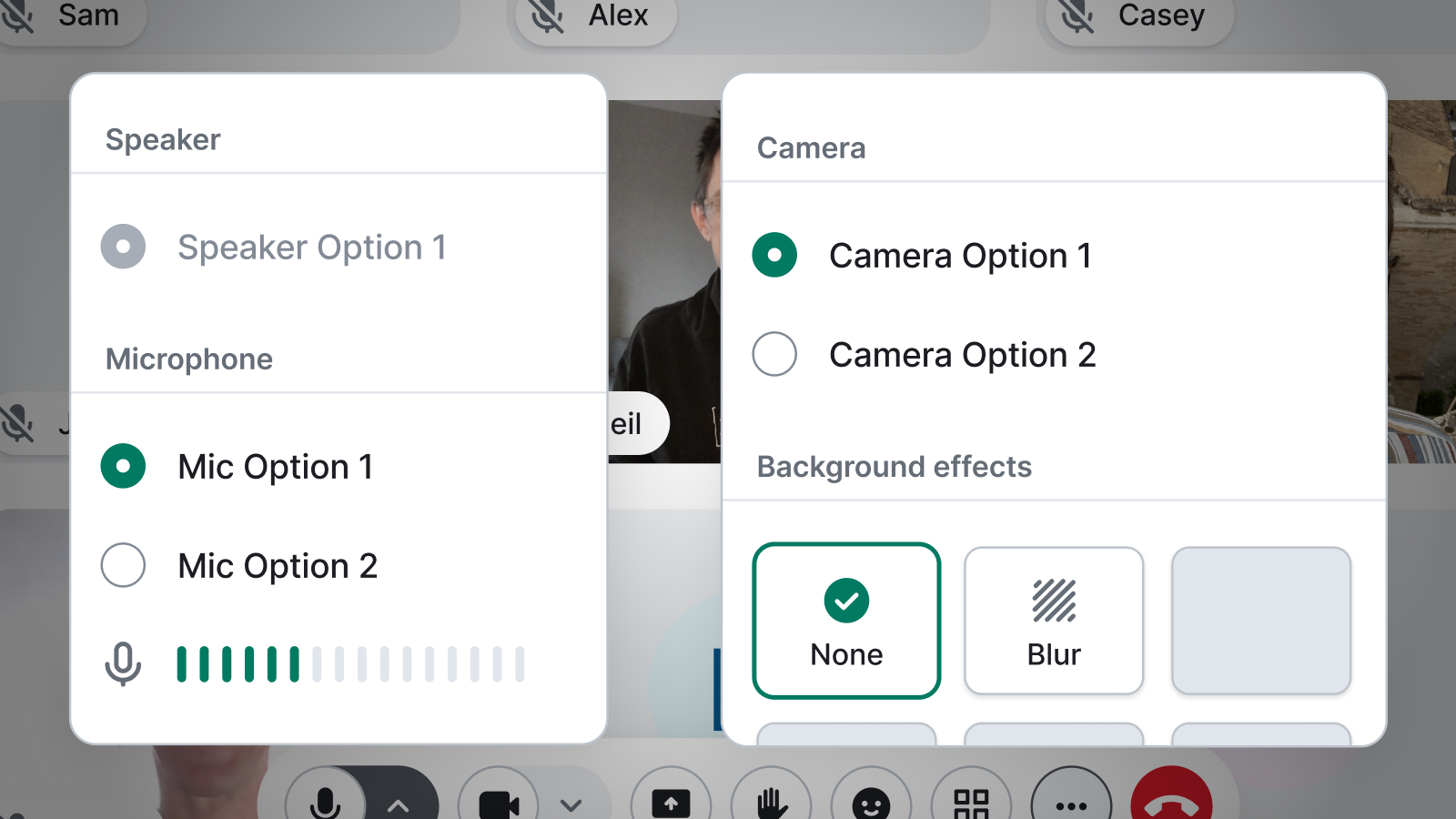
Features that empower end users - such as secure voice, video and moderation - are always open source. Features that serve organisations over individual users go into ESS Pro and Element Pro. Here, this means that we’re putting the features which undermine E2EE (by doing server-side actions like recording, transcription, and SIP interoperability) into ESS Pro and Element Pro.
- Call recording
- Call captions
- Call transcriptions
- SIP dial-in and calling
So how can I use this?
For personal use and small teams, the obvious option is ESS Community. It’s our official Matrix distribution, is free of charge, and should comfortably support up to around 50 calling participants depending on your exact set up.
If you’re a government or large public sector organisation, get in touch about a fully supported ESS Pro deployment. For all sorts of reasons - not least compliance - these types of organisations really shouldn’t be using community software. Also, please make sure you’re not paying a service provider that is free riding on Matrix.
The future
It’s goodbye to separate Element Call links, and hello to calling built right into the app.
We’re also already exploring alternatives to LiveKit as a MatrixRTC transport. We love LiveKit, but the whole point of Matrix is to be a vendor-neutral open standard, so we take choice seriously.
We’ve been working on an exciting new approach, codenamed cSFU. It uses an entirely new VoIP stack and SFU (not even WebRTC!) to deliver much better performance on poor networks, better scalability, and simpler but stronger encryption. We’ll share more soon. In the meantime, here’s a quick demo of more MatrixRTC interoperability, this time over cSFU between Element Call and DINUM’s Visio.
Will this replace the phone network? Who knows, maybe! It’s an enormous leap forward for both Matrix and Element, and we can’t wait to see where it goes.


